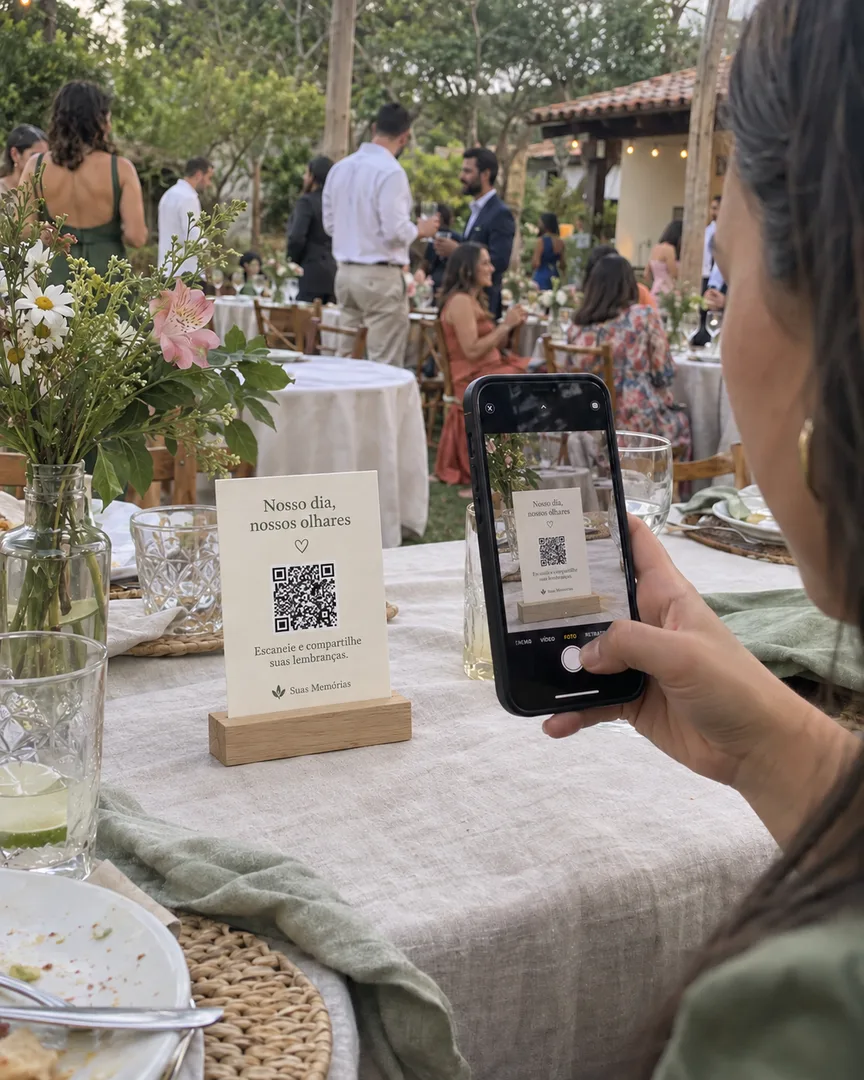
Give your client an organized album of candid photos from their guests. Selfies, hugs and moments with friends complement the professional coverage. Guests upload photos through the QR code in their phone browser, with no app or account needed.
From R$39.90 per album. One-time payment, no subscription.
Place the QR code on the table so guests can scan it and upload their photos.
Add guest photos
to your event services.
Event planners
Make collecting guest photos part of your event planning. Give your client an album of guest photos without having to ask for pictures across several conversations after the event.
Event coordinators
Place the QR code on tables and introduce the album during the reception. Guests upload photos from their phones, and you can display them in the live slideshow throughout the celebration.
Photographers
Offer a guest photo album alongside your coverage. Collect selfies and spontaneous pictures that complement your work, and deliver those photos to your client.
How it works at your events
Create the album.
Share the QR code.
Each album comes with a QR code ready to receive guest photos. Personalize the site's invitation template, or download the code separately to use in your own designs.
01
Personalize your client’s album
Set the event name and date. Choose the invitation’s colors and wording, and check the preview before paying.
02
Choose where to display the QR code
Place it on tables, at the entrance, or in your own designs. Print the invitation on A4 paper, or share the invitation image and album link in WhatsApp groups. In the live slideshow, you can display the QR code alongside the photos.
03
Collect photos and deliver the album
Guests scan the QR code, enter their name and upload photos from their phones. You follow contributions, filter photos by person and download the files to deliver to your client.
An album for each client.
Create a separate album for each event and find them all in your account. Each has its own QR code and photos, keeping your clients’ pictures organized.
Your albums
Ana and Pedro’s wedding
A separate QR code for this event
Júlia’s birthday
A separate QR code for this event
Class graduation
A separate QR code for this event
Illustrative preview of album organization.
Share access with your client and team.
Invite up to five people by email, such as your client or a team member. Each signs in with their own account and can view, download and remove photos and videos, or open the live slideshow.
Invite people you trust and agree on who will handle downloads and removals. The owner manages invitations and can revoke organizer access. The plan and album deletion remain the owner’s responsibility.
One payment per event
Choose a plan
for your next event.
Purchase one album per event, with a one-time payment and no subscription. Include it in your package or offer it as an add-on so your client receives an organized collection of candid guest photos alongside the professional coverage.
Uploads open 3 days before the celebration and close 7 days afterward. The album and downloads remain available for 3 months after the date. Files are permanently deleted when that period ends.
Before offering an album to clients
Can I include the album in my service package?
Yes. Include it in your package or offer it as an add-on. Your client receives guest photos organized in an album to complement the professional coverage. Create the album in your account and agree on delivery with your client.
Can I create albums for different clients?
Yes. Create an album for each event and manage them all from one account. Each album has its own QR code, photos and separate payment, keeping each client’s collection organized.
Who downloads and delivers the files?
Agree on this responsibility with your client before the event. You or an invited organizer can download the collection through the management area. If your client will handle it, invite them as an organizer. Save the files before the three-month access period after the celebration ends.
What access do my client and team receive?
The owner can invite up to five people by email. After accepting with the invited email address, each person uses their own account and can view, download and remove photos and videos, or open the live slideshow. Agree on who handles removals and downloads. Only the owner manages invitations, the plan and album deletion.
How do guest photos complement my coverage?
They capture selfies, conversations and get-togethers at different tables while you handle the professional coverage. Your client gets those photos together in an album alongside your professional work. On the Complete plan, you can also enable original retention before uploads arrive to keep those files available for editing or printing.
Create the album
for your next event.
Personalize the invitation with the event details and check the preview. Once payment is confirmed, download the QR code and invitation to share with guests.